Phone Won't Turn On in Kyle? What to Try Before You Call for Repair
Phone won't turn on? Most of the time it's a drained battery or a frozen screen. Here's what to try at home first, and the signs it needs a repair.
If your phone won't turn on, don't write it off yet. A lot of the time it's a fully drained battery, a frozen screen or a bad charger, not a dead phone. Here's what to try at home, in order, and the signs it's time for a repair. We do curbside pickup in Kyle and across the Austin metro if you get stuck.
Why won't my phone turn on?
The usual suspects, from most to least common in everyday life:
- The battery is completely drained. A phone that sat dead for a while can take a bit of charging before it shows any sign of life.
- The software is frozen. The phone may actually be on, but the screen is stuck black and it ignores taps.
- The charger, cable or port. A worn cable, a weak adapter or lint packed in the port can stop it from charging at all.
- The screen. After a drop, the phone can run fine while the display stays dark.
- A worn out battery. Older batteries can shut a phone off early or keep it from starting.
- Liquid or drop damage to the parts inside.
Step 1: Charge it the right way
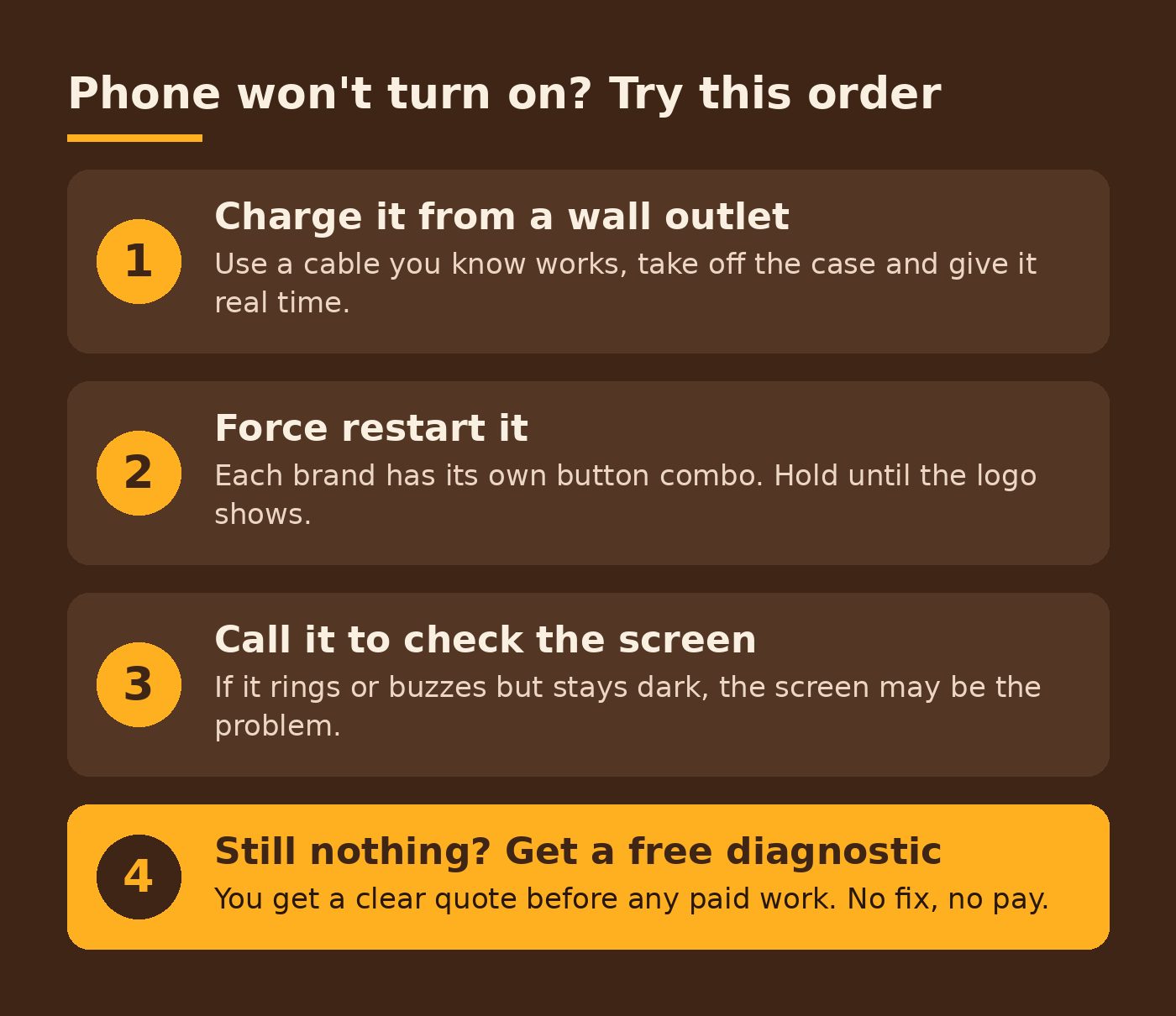
Plug it into a wall outlet, not a laptop or car port, with a cable and adapter you know work. Take the case off so the plug seats all the way. Then be patient:
- Apple says to charge an iPhone that won't turn on for one hour, then try again.
- Samsung suggests leaving a Galaxy plugged in for 15 to 20 minutes, even if the screen stays black.
- Google says a fully drained Pixel can show no response for up to 25 minutes while plugged in.
If nothing happens, try a different cable and adapter, and plug a lamp into the same outlet to make sure it has power.
Step 2: Force restart it
A force restart doesn't erase anything. It just makes a frozen phone start over. Hold the buttons until the logo shows up, which can take more than 10 seconds.
iPhone with Face ID
Press and quickly release volume up, press and quickly release volume down, then press and hold the side button until the Apple logo appears. Older models with a Home button use a different combo, and Apple lists them on its restart an unresponsive iPhone page.
Samsung Galaxy
Press and hold the side button and volume down at the same time until the Samsung logo appears, then let go.
Google Pixel
Hold the power button for 5 to 7 seconds. If that does nothing, Google's Pixel help page suggests holding it for about 35 seconds to restart the phone, then waiting a couple of minutes.
Step 3: Call it to check the screen
If it still looks dead, call your number from another phone. If it rings or buzzes but the screen stays dark, the phone is on and the screen is likely the problem, not the battery.
Signs it needs a repair
- It stays dark after a full charge and a force restart.
- It only works while plugged in, or dies the moment you unplug it.
- The cable feels loose in the port, or only charges at a certain angle.
- It rings when you call it, but the screen is black.
- It got wet or took a hard drop right before it quit.
- The screen or back is lifting or bulging. Stop charging it and don't press on it.
What not to do
- Don't factory reset as a first move. A reset erases your data, and Google lists it as a last resort.
- Don't pry it open. Phones are glued and packed tight, and it's easy to crack the screen or damage the battery.
- Don't keep charging a phone that's hot, swollen or smells odd.
Once it does come back on, back it up right away to iCloud, Google or a computer. If the phone acts up again, your stuff is safe.
Phone repair in Kyle and around Austin
If your phone won't turn on after all that, tell us what's going on. We start with a free diagnostic and a clear quote before any paid work, and if we can't fix it, you don't pay. A tech picks it up curbside at your home, office or a coffee shop in Kyle, Buda, Austin or nearby, and brings it back. In-stock screen and battery replacements are generally done the same day, most other repairs take 24 to 48 hours, and our repairs come with a 90-day warranty on parts and work.
Request a repair here, or call or text (512) 649-5492. If it turns out the battery is the issue, our battery replacement page has more on what to expect.