Laptop Repair in Leander: Fix Your Old Laptop or Buy a New One This Year?
Laptop repair in Leander or a new one? With PC prices high, here's how to tell what's worth fixing, when to move on, and what to check before you decide.
Looking up laptop repair in Leander and wondering if you should just buy a new one instead? Here's the short answer: if your laptop still does what you need and one part has gone bad, get a repair quote first. If it has several problems at once, or it's stuck on Windows 10 with no path to Windows 11, moving on might make more sense.
Nobody can make that call from a blog post, but a few simple checks will get you most of the way there.
Why this question matters more this year
New computers aren't getting cheaper right now. Research firm IDC says global PC shipments fell about 20% in the third quarter of 2026 compared to a year earlier, mostly because of a memory chip shortage, and its analyst expects prices to stay elevated, Tom's Hardware reported in October.
That doesn't mean you shouldn't buy new. It just means it's smart to know what a fix would cost before you start shopping holiday sales.
When laptop repair usually makes sense
A repair tends to be the better bet when the laptop is fine overall and one thing is in the way:
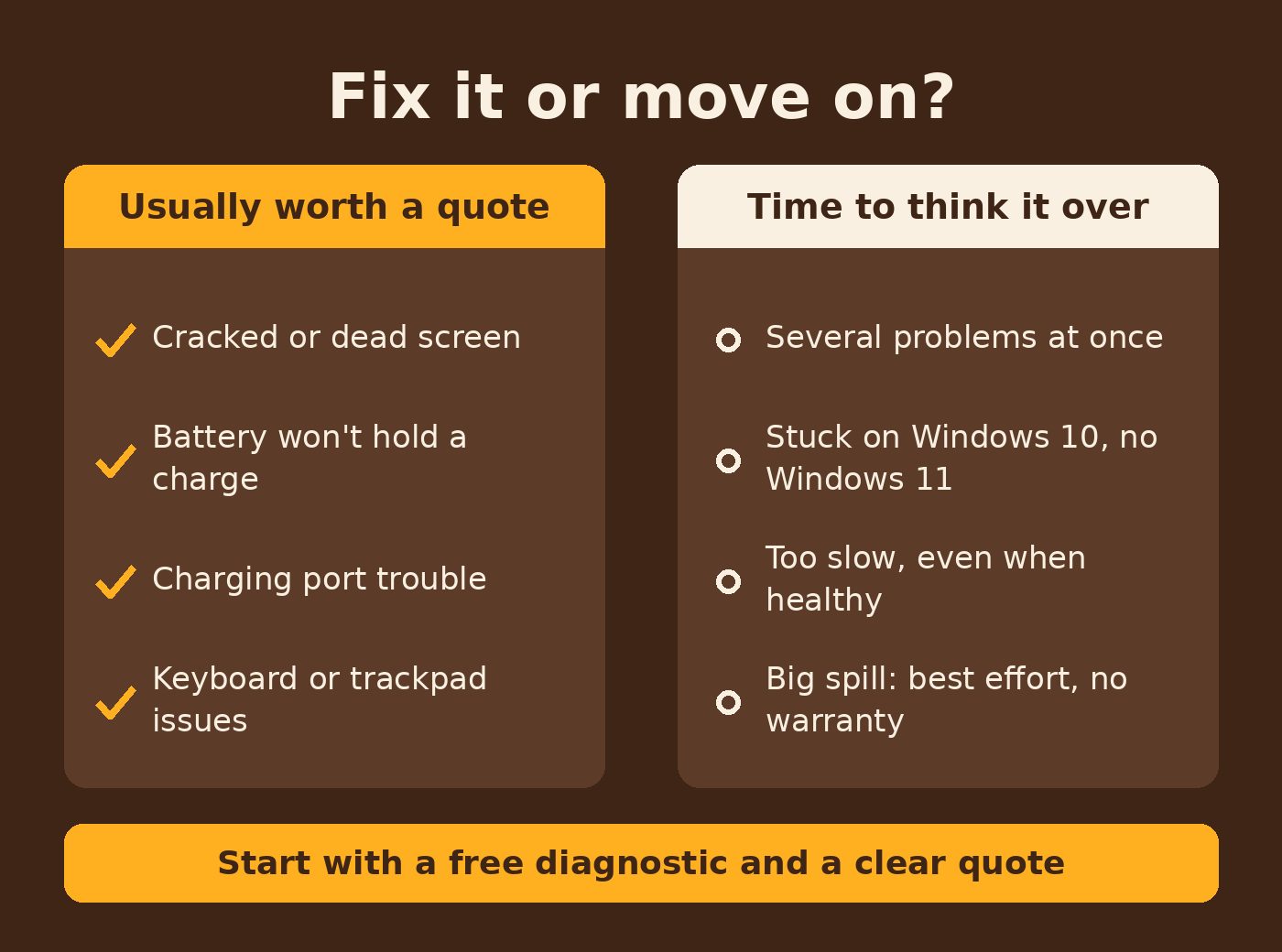
- Cracked or dead screen. The laptop may be perfectly healthy behind the broken display.
- Battery won't hold a charge. Batteries wear out with use, so this one is normal aging, not a sign the whole laptop is done.
- Charging port trouble. If the plug feels loose or charging cuts in and out, the port or the charger could be the problem.
- Keyboard or trackpad issues. Annoying every day, but usually limited to that one part.
- Overheating and a loud fan. Worth checking before you assume the laptop is worn out.
When it might be time to move on
Sometimes the quote isn't the whole story. It's worth thinking twice if:
- Several problems show up at once. A bad screen plus a tired battery plus a flaky keyboard adds up.
- You're stuck on Windows 10 with no Windows 11. More on that below.
- It's too slow for your needs, even when healthy. A repair fixes what's broken. It won't make an older laptop feel new.
- It took a big spill. Liquid damage repairs are best effort with no warranty, so go in with clear expectations.
What's going on with Windows 10?
Regular Windows 10 support ended in October 2025. Since then, PCs have needed Microsoft's Extended Security Updates program to keep getting security fixes. Microsoft now says that program ends on October 12, 2027, so an enrolled laptop on Windows 10 version 22H2 still gets critical and important security updates until then. It doesn't include new features or tech support.
So your Windows 10 laptop isn't out of time today. But before you put money into one, think about whether it can move to Windows 11 and what you'll do when that date comes. To see if yours is enrolled, go to Settings, then Update & Security, then Windows Update.
Four quick checks before you decide
- Back up your files. Do this first, whatever you end up doing. Diagnostics, repairs and resets can erase data, and we're not responsible for data loss.
- Check the battery on a MacBook. Hold the Option key, click the Apple menu and choose System Information. Under Hardware, pick Power, and look for the cycle count. Batteries are built for a set number of cycles, and that number varies by model.
- Look for swelling. If the case is bulging or the trackpad is lifting, the battery may be swollen. Stop using the laptop. Dell's guidance is to unplug the charger, let the battery drain, and never crush or puncture it. A swollen battery should be replaced.
- Write down what it's doing. When it started, what you see, and whether it happens on battery, plugged in, or both. That helps a lot during a diagnostic.
If it's not worth fixing, you still have options
A laptop that doesn't make sense to keep could still make sense to sell. We buy used devices case by case, and any price is an estimate until we see it in person. We'll ask if it's paid off, whether it's signed in to an account, and if it's been reported lost or stolen. Back up first and sign out of your accounts, including iCloud and Find My on a MacBook. Sellers need to be 18 or older with a photo ID.
You can tell us what you've got on our home page. And if you're shopping instead, we also sell tested, cleaned used devices.
How laptop repair works with us in Leander
Damage Control is a family-owned mobile repair service, and Leander is part of our Austin metro service area. You don't have to drive anywhere. It's curbside only: a tech picks up your laptop at your home, your office or a public spot like a coffee shop, and brings it back. Techs never go inside.
The diagnostic is free, and you get a clear quote before any paid work, so you can compare it to buying new before you commit. No fix, no pay. Most laptop repairs take 24 to 48 hours, and our work comes with a 90-day warranty on parts and work. It doesn't cover new physical damage after the repair.
Not sure which way to go? Tell us what your laptop is doing, or call (512) 649-5492, and we'll take a look.